

- Thread Author
- #1
This is a simple guide to easily find movies, tv series, apps, etc. na ang download link ay MediaFire.
This guide is also for uploaders. This would help you na mas mapadali ang sharing ng links niyo dahil nga una nilang makikita ang Prefix na Mediafire.
Go to any section where you want to download. In this example, I will go to Movies section since I want to download a movie.
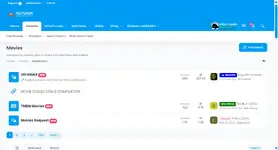
Link: https://netizion.com/forums/20/
Then, click Filters, may lalabas na maliit na box.
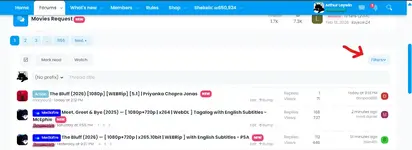
Click Prefixes
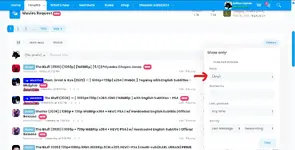
Click that (Any) and choose Mediafire, then press Filter
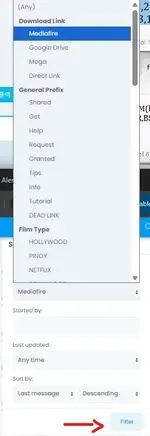
Then lalabas na lahat ng threads na may prefix na Mediafire
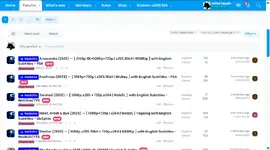
Like I have said, this is also for uploaders. You can change the prefix to Mediafire para alam ng members na Mediafire ang download link mo.
This guide is also for uploaders. This would help you na mas mapadali ang sharing ng links niyo dahil nga una nilang makikita ang Prefix na Mediafire.
Go to any section where you want to download. In this example, I will go to Movies section since I want to download a movie.
Link: https://netizion.com/forums/20/
Then, click Filters, may lalabas na maliit na box.
Click Prefixes
Click that (Any) and choose Mediafire, then press Filter
Then lalabas na lahat ng threads na may prefix na Mediafire
Like I have said, this is also for uploaders. You can change the prefix to Mediafire para alam ng members na Mediafire ang download link mo.


